- Empty cart.
- Continue Shopping

How to Identify the Right Replacement Lock for a School Locker
- Posted on
marketang
- Categories: Locks for School Lockers
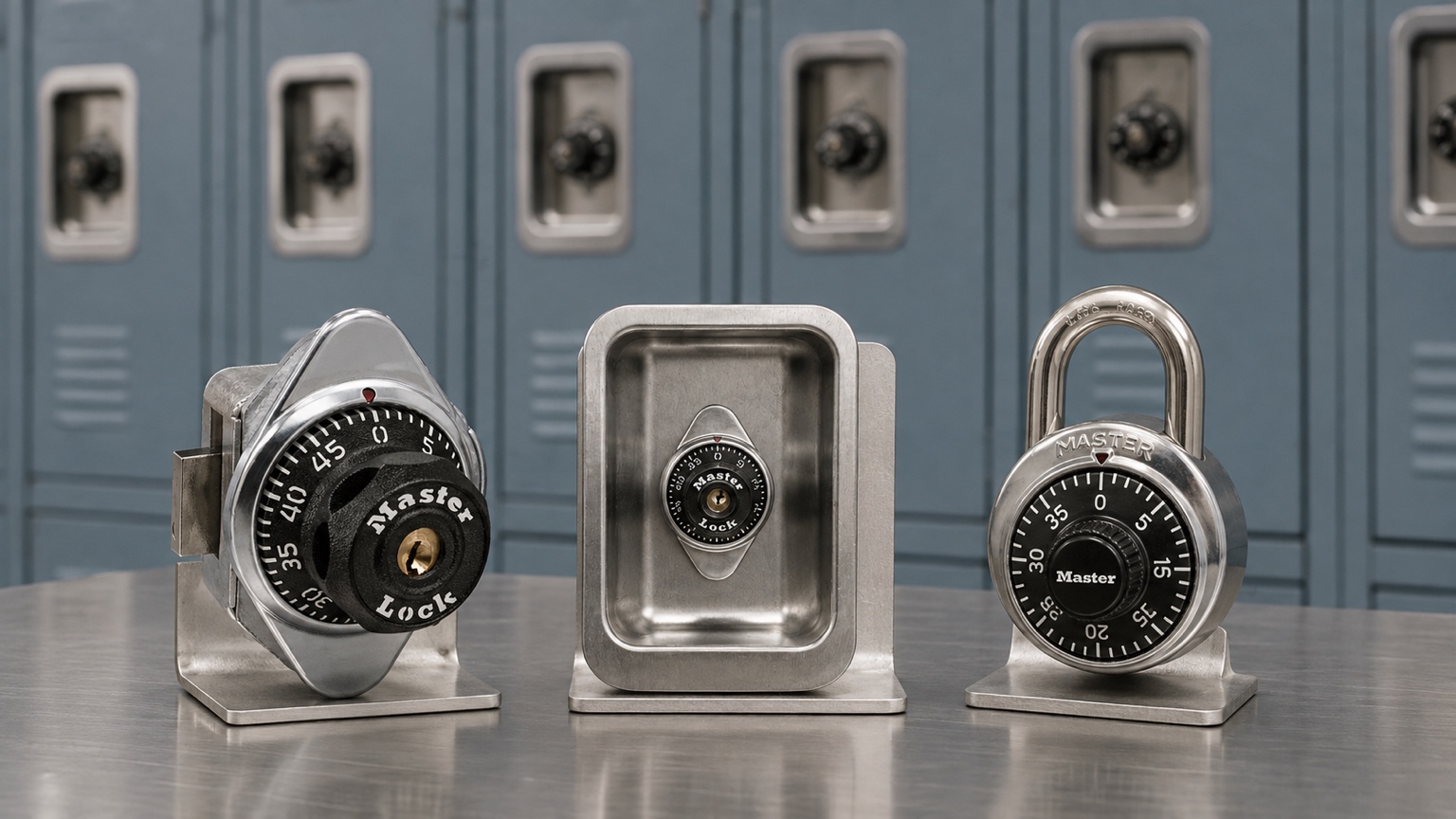
Short answer: identify the existing locker hardware before choosing a replacement lock. Record whether the lock is built in or portable, the door’s hinge side, the handle or latch type, visible model and key-system markings, relevant dimensions, and the way the current lock engages. A matching dial on the front is not enough to prove compatibility.
Key Takeaways
- Start with the locker and its latch mechanism, not a preferred model number.
- Photograph the lock face, rear mechanism, door edge, handle, hinges, and any readable markings.
- Determine right- or left-hand opening while facing the closed locker.
- For built-in locks, identify lift-handle, horizontal-latch, box-locker, manual-deadbolt, or rotating Wrap-Around-Latch™ operation.
- For portable padlocks, measure the padlock eye and required shackle clearance.
- Preserve information about the school’s registered control-key and combination-chart system.
Replacement Lock Identification Checklist
| What to record | Why it matters |
|---|---|
| Built-in lock or removable padlock | Separates permanently mounted mechanisms from hasp or padlock-eye applications |
| Right- or left-hand door | Many built-in models have different right- and left-hand versions |
| Handle and latch type | Determines the required bolt direction and locking action |
| Manufacturer and model markings | Helps distinguish visually similar locks and configurations |
| Door thickness or padlock-eye dimensions | Identifies possible extension hardware or shackle-clearance needs |
| Existing key or control-system number | Helps determine whether authorized replacements must match a registered system |
| Automatic or manual relocking | Prevents an unintended change in how students secure the locker |
Step 1: Identify Built-In or Portable Operation
A built-in lock is bolted to the locker door and interacts with the handle or latch mechanism behind it. A portable padlock passes through a hasp or padlock eye and can be removed from the locker. These are different applications, even when both locks use a familiar round combination dial.
If the locker uses a removable padlock, review the Master portable combination locks. If the mechanism is mounted through the door, start with the built-in combination lock category.
Step 2: Determine the Hinge Side Correctly
Face the locker while the door is closed. Hinges on the right make it a right-hand opening under Master Lock’s terminology; hinges on the left make it a left-hand opening. Photograph the whole front of the locker so the orientation remains clear when the request is reviewed.
Do not reverse the viewpoint by describing the hinges from inside the locker. A handing error can lead to a lock with the wrong bolt direction even when the model family otherwise appears correct.
Step 3: Identify the Handle or Latch Mechanism
Lift-handle lockers
A standard lift-handle locker uses vertical movement in the handle system. Master Lock identifies the 1630 as a right-hinged built-in combination lock for this application, with a vertical-travel bolt and automatic locking.
Single-point horizontal-latch lockers
These lockers secure at one horizontal latch point. The Master Lock 1652 is a right-hinged, automatic springbolt model for a standard single-point horizontal latch. A lock that looks similar may have a different bolt length or action, so the rear mechanism should be documented.
Box or multiple-tier lockers
Master Lock identifies the 1654 as a right-hinged built-in combination lock for horizontal-latch box lockers. It uses automatic springbolt action. Locker height alone is not enough to identify this model; confirm the actual latch hardware.
Manual deadbolt applications
The Master Lock 1670 is a right-hinged manual-deadbolt model listed for lift-handle, turn-handle, single-point horizontal-latch, and box-locker applications. Its dial must be turned to relock the door. Record whether the current locker has that deliberate manual action.
Rotating or Wrap-Around-Latch lockers
The Master Lock 1690 is designed for a right-hinged single-point rotating or Wrap-Around-Latch application and uses automatic deadbolt locking. Do not substitute it merely because a locker has a single latch; confirm the rotating latch plate and locker-manufacturer guidance.
Step 4: Capture Model and System Information
Look for the manufacturer name, model number, key number, or other markings on the lock face, rear case, original paperwork, control chart, and authorized keys. Avoid publishing or casually emailing sensitive combination records. The purpose is to establish compatibility and system ownership, not to expose access information.
Master Lock says registered institutional systems help prevent serial-number duplication and key-system crossover. Replacement charts and control keys are restricted to registered end users. If new locks must match an existing system, provide the required identifying information through the approved quote or customer-service process.
Step 5: Measure the Physical Application
For a portable padlock, record the padlock-eye diameter and the vertical and horizontal clearance around the hasp. Master Lock specifies that standard 1502 and 1525 locks are designed for a padlock eye at least 5/16 inch (8 mm) in diameter. Standard, LF, and LH shackles provide different heights, but the longest option is not automatically the correct one.
If the replacement program calls for the reinforced 2000-series format, compare the Master Lock 2002 and 2010 high-security locker padlocks separately; their fit and administrative choices differ from the 1502/1525 family.
For a built-in lock, measure the door thickness and note any existing shaft or cylinder extensions. Master Lock lists an extension kit for specified built-in combination locks installed in doors from 11/16 inch (17 mm) through 3/4 inch (19 mm) thick. Confirm need and compatibility rather than adding a kit to every replacement.
Step 6: Decide Whether to Replace Like for Like
A confirmed like-for-like replacement can preserve user operation and administrative procedures. Changing model families may be appropriate when the locker mechanism, accessibility requirement, or staff-access policy has changed, but that is a system decision—not a cosmetic swap.
Before a larger replacement order, verify one selected configuration on the actual locker. Master Lock compatibility materials advise confirming the application and consulting the locker manufacturer or distributor. A small physical check can reveal door alignment, latch wear, or clearance issues that a catalog description cannot show.
Frequently Asked Questions
Where can I find the model number on a school locker lock?
Check the front and rear of the lock, original order records, control chart, product packaging, and facility-maintenance records. Photograph any visible markings rather than guessing from appearance.
How do I tell if a locker door is right- or left-handed?
Face the closed locker. Hinges on the right indicate a right-hand opening; hinges on the left indicate a left-hand opening.
Can any built-in combination lock replace another?
No. Bolt direction, bolt length, latch style, handing, door preparation, and locking action can differ. Match the complete locker application.
Can a Master Lock 1630 replace a 1670?
Do not assume so. The 1630 is an automatic model for standard lift handles, while the 1670 uses a manual deadbolt and supports several listed applications. Review the hardware and intended operation first.
Do I need a longer-shackle padlock?
Only if the standard shackle lacks the required clearance. Measure the hasp or padlock eye and choose the shortest shackle that fits and operates correctly.
Can replacement locks match our existing control key?
Some key-controlled systems can be specified to match an existing registered system. Provide the required authorized system information and have the configuration confirmed before ordering.
What photographs should accompany a replacement inquiry?
Include the full closed door, hinges, handle or latch, lock face, rear mechanism, door edge, and readable markings. Add a ruler for relevant dimensions without covering the mechanism.
Continue the Selection Process
For specific mechanisms, compare the Master Lock 1630 and 1670, the Master Lock 1652 and 1654, or the Master Lock 1690 wrap-around-latch application. Portable-lock projects can use the shackle-length measurement guide.
Product References
- Master Lock installation, maintenance, and compatibility guidance
- Master Lock school locker lock support
- Master Lock locker lock catalog
Get Help Identifying a Replacement School Locker Lock
Browse the School Lock Supply catalog, or request replacement-lock and quote help. Include your photographs, hinge side, latch type, dimensions, current model or system information, quantity, and whether the request is for a new installation or an existing school system.