- Empty cart.
- Continue Shopping

How Schools Can Manage Locker-Lock Combinations Securely
- Posted on
marketang
- Categories: Locks for School Lockers
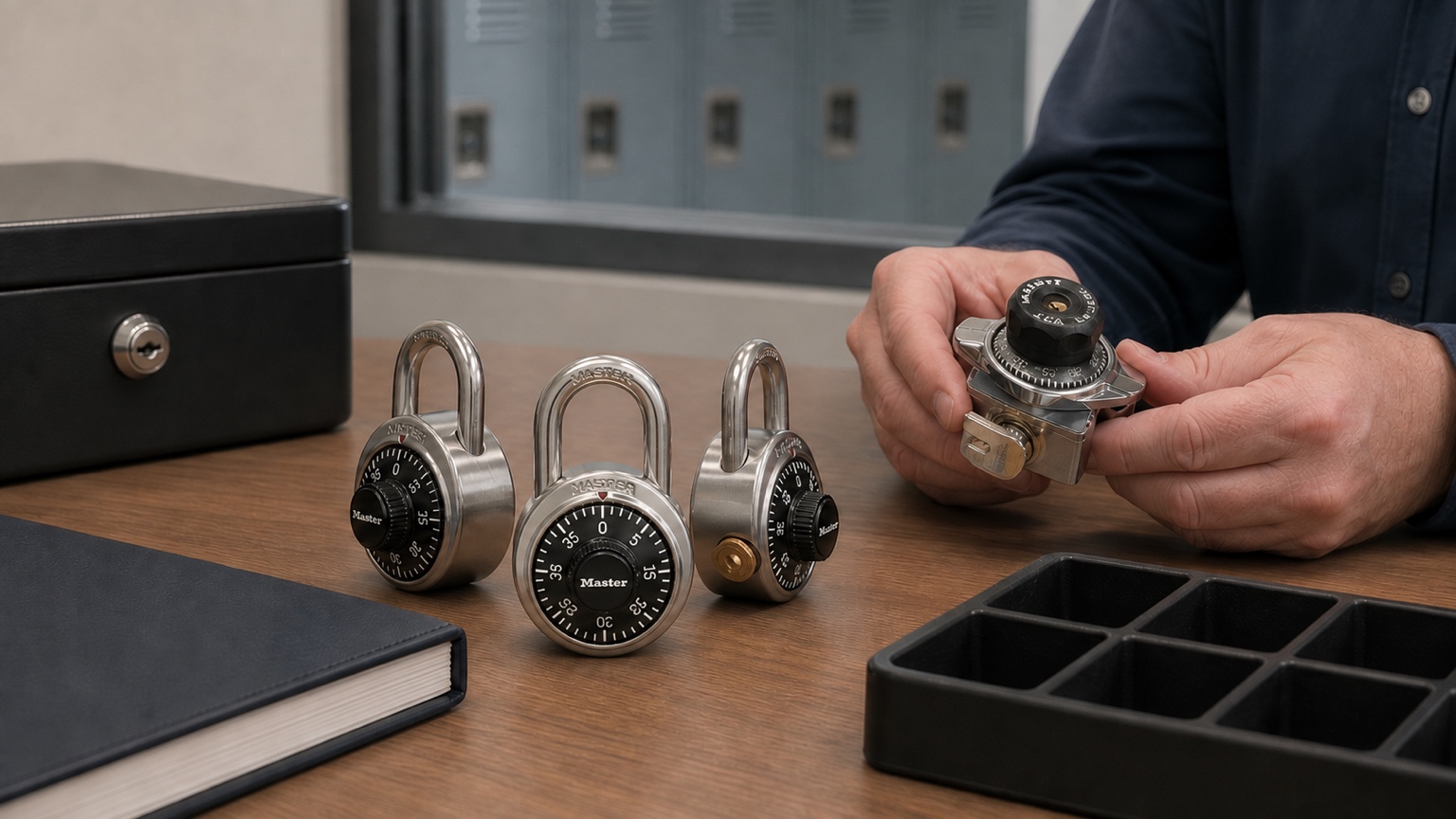
Short answer: a school should manage locker-lock combinations as controlled access records, not as an informal spreadsheet passed from person to person. Build the program around a verified lock inventory, manufacturer-issued control charts or registered-system records where applicable, limited staff access, documented custody of control and change keys, and a repeatable reassignment process. Students receive only the information needed to use their assigned locker; sensitive charts and key-system details remain with authorized staff.
Key Takeaways
- Give every lock a stable identifier tied to its building, locker number, model, and administrative system.
- Treat combination charts, control-key identifiers, and change-key records as restricted operational information.
- Use role-based access, named custodians, and an access log instead of broadly shared files or email attachments.
- Plan for staff turnover, emergency access, annual reassignment, damaged locks, and suspected information exposure.
- Follow instructions for the exact Master Lock model; preset portable locks and changeable built-in locks do not use the same workflow.
Why Combination Management Matters at School Scale
A single student can remember one locker combination. A district may need to administer hundreds or thousands of locks across several buildings, locker banks, and school years. At that scale, the challenge is not merely opening a lock. It is preserving a reliable connection among the physical lock, its location, the current assignment, and the authorized administrative method for access or reassignment.
Weak records create predictable problems: a lock is moved without its record, a staff member leaves with the only copy of a chart, or a replacement is ordered without the information needed to match an existing system. A controlled process reduces those gaps while limiting the number of people who can see sensitive information.
The approach should cover both portable school combination padlocks and built-in combination locker locks, while preserving the different administration rules for each model family.
Build One Authoritative Lock Register
The lock register is the operational index. It should identify what the school owns and where each item belongs without mixing every piece of sensitive information into one broadly accessible file.
| Record field | Purpose | Handling note |
|---|---|---|
| School, building, and locker number | Connects the record to a physical location | Verify after any locker-bank renovation or move |
| Manufacturer and exact model | Determines the correct instructions and replacement path | Record suffixes and variants exactly as marked |
| School asset or lock serial identifier | Tracks a portable lock if it moves to another locker | Use a durable local identifier when appropriate |
| System, chart, or key-control reference | Connects the lock to protected manufacturer records | Restrict this field to authorized administrators |
| Current status | Shows whether the lock is assigned, spare, under review, or retired | Use consistent status terms across buildings |
| Last verified date and staff initials | Shows when the physical lock and record were reconciled | Do not rely only on an old import date |
| Change or reassignment history | Documents administrative actions without exposing the record widely | Keep only the history required by school policy |
Avoid collecting unnecessary student data. The lock register can reference the school’s approved assignment system rather than duplicating names, schedules, or other personal information. Separate the everyday inventory from the restricted combination chart whenever practical.
Control Charts and Registered Systems
Many institutional Master Lock products are supplied within charted or registered administrative systems. For example, the Master Lock 1525 uses supervisory key control, while models such as the Master Lock 1690 built-in lock use preset combinations that authorized staff can change according to the manufacturer’s process. A chart or registration record can connect a lock to its authorized combination and key-control information.
That record should never be treated as a public reference sheet. Do not post it in a locker room, leave it on a shared copier, attach it to a mass email, or store it in a folder available to all staff. When a supplier or manufacturer needs system information for a reorder, share only the required reference through an approved channel and only with an authorized recipient.
Keep the original manufacturer documentation intact. If the school creates a working copy, label the custodian and revision date so staff can identify the current version. Do not rewrite key numbers, combinations, or model suffixes from memory.
Use a Clear Custody Model
Limit access by job responsibility
Facilities leadership, a designated school administrator, and a documented backup may need access. Most teachers, coaches, volunteers, and students do not need the full chart. Grant the minimum access required for each role, review that access periodically, and remove it promptly when duties change.
Protect paper and digital records
Store paper charts in a controlled location with a check-out process. Protect digital records using the district’s approved secured storage, access controls, encryption, and backup standards. Avoid personal cloud drives, unapproved note applications, shared passwords, or files named in a way that advertises their contents.
Control supervisory and change keys
Record who is authorized to hold each key, where it is stored, when it is issued, and when it is returned. Control keys are system-specific administrative credentials, not universal keys. A change key or control key should never be assumed to accompany a lock order; confirm every required item as a separate part of the quote.
A Repeatable Locker Reassignment Workflow
- Reconcile the locker bank. Confirm the locker number, installed lock model, hinge or latch configuration, and physical condition against the register.
- Close the prior assignment. Follow the school’s process for ending access and recovering any portable lock without retaining unnecessary student information.
- Choose the model-specific action. A preset portable padlock such as the Master Lock 1502 is administered differently from a built-in model with several preset combinations. Never improvise a reset procedure.
- Use authorized instructions. For a built-in lock that supports combination changes, authorized staff should follow the manufacturer’s exact instructions with the correct chart and system-specific key.
- Verify operation. Test the lock through its normal open-and-close cycle before assigning the locker. Check the locker hardware as well as the lock.
- Update the restricted record. Record the approved change, date, staff member, and new status in the authoritative system.
- Issue only what the user needs. Give the student the assigned locker and operating information without exposing charts, other combinations, or key-control details.
For built-in models, Master Lock publishes model-specific combination-change guidance. The instructions require the applicable control key and the chart showing the combinations available for that lock. If either item is missing or uncertain, stop and identify the system before attempting a change.
Plan for Staff Turnover and Continuity
Locker administration should belong to a role and process, not to one person’s memory. Maintain a primary custodian and at least one approved backup. Document where records and keys are held, how access is authorized, and who can contact the supplier or manufacturer about a registered system.
When an employee changes roles or leaves, recover issued keys, revoke digital access, transfer any current working records, and reconcile unresolved lock issues. The new custodian should verify a sample of physical locks against the register before accepting responsibility. Never ask a departing employee to send combination charts through personal email.
What to Do After Suspected Exposure
If a combination chart, control key, or restricted file may have been exposed, preserve the facts and notify the school’s designated security or facilities authority. Identify which locks and systems are affected without circulating the sensitive material further. Then follow the district’s incident process and manufacturer guidance to determine whether combinations, credentials, or physical controls require action.
Do not publish affected combinations in a maintenance ticket or broad group message. Record remediation in the restricted administrative log and confirm that replacement or reassignment decisions use the exact model and registered system.
Frequently Asked Questions
Should every staff member have the school’s combination chart?
No. Access should be limited to staff whose assigned responsibilities require it, with a named custodian and approved backup. Other staff can request help without receiving the complete chart.
Can combination charts be emailed?
Avoid ordinary or mass email. Use the district’s approved secure method when an authorized recipient genuinely needs the information, and share only the required portion.
Are Master Lock control keys universal?
No. Control-key systems must match the applicable lock system. Record the exact system reference and never test an unidentified key across unrelated locks.
Can every school combination lock be reset?
No. Preset portable locks and built-in locks have different capabilities. Confirm the exact model and follow its manufacturer instructions before attempting any change.
Should a lock register include student names?
Only if the school’s approved process requires it. Often the register can reference a separate assignment system, reducing duplicate personal information in the lock-administration record.
What information is useful when replacing a lock in a registered system?
Provide the exact model, visible system or key reference, locker type, hinge and latch details, quantity, and clear photos that do not reveal combinations. An authorized supplier can then identify what else is needed.
Continue the Planning Process
Facilities teams can pair this records workflow with the replacement locker-lock identification guide and the bulk locker-lock pre-quote checklist. Both keep system details tied to a verified physical inventory.
Official Administration References
- Master Lock instructions for changing combinations on supported built-in locker locks
- Master Lock locker installation and maintenance resources
Get Help Organizing a School Lock System
School Lock Supply can help identify models, document a replacement or reassignment project, and prepare the product details needed for a quote. Request school locker-lock assistance with non-sensitive inventory information, quantities, photos that do not show combinations, and any registered-system reference that can be shared through an approved channel.